01
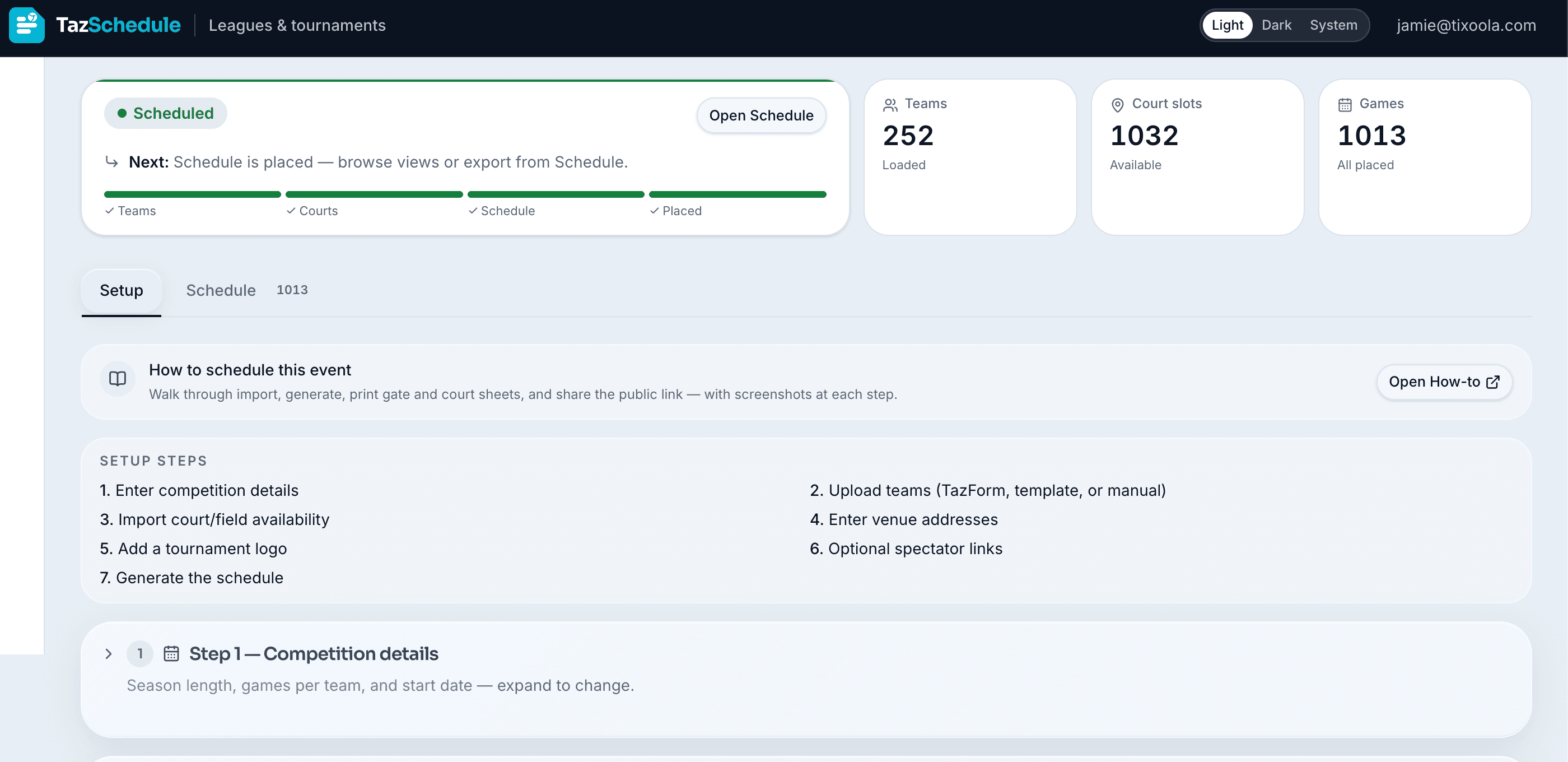
Numbered Setup steps 1–7
One Setup tab walks directors from competition details through generate — no sidebar scavenger hunt. Staff can see the whole path before they scroll.
- Step 1 — Competition details: season or tournament options, rest windows, dates, and game length.
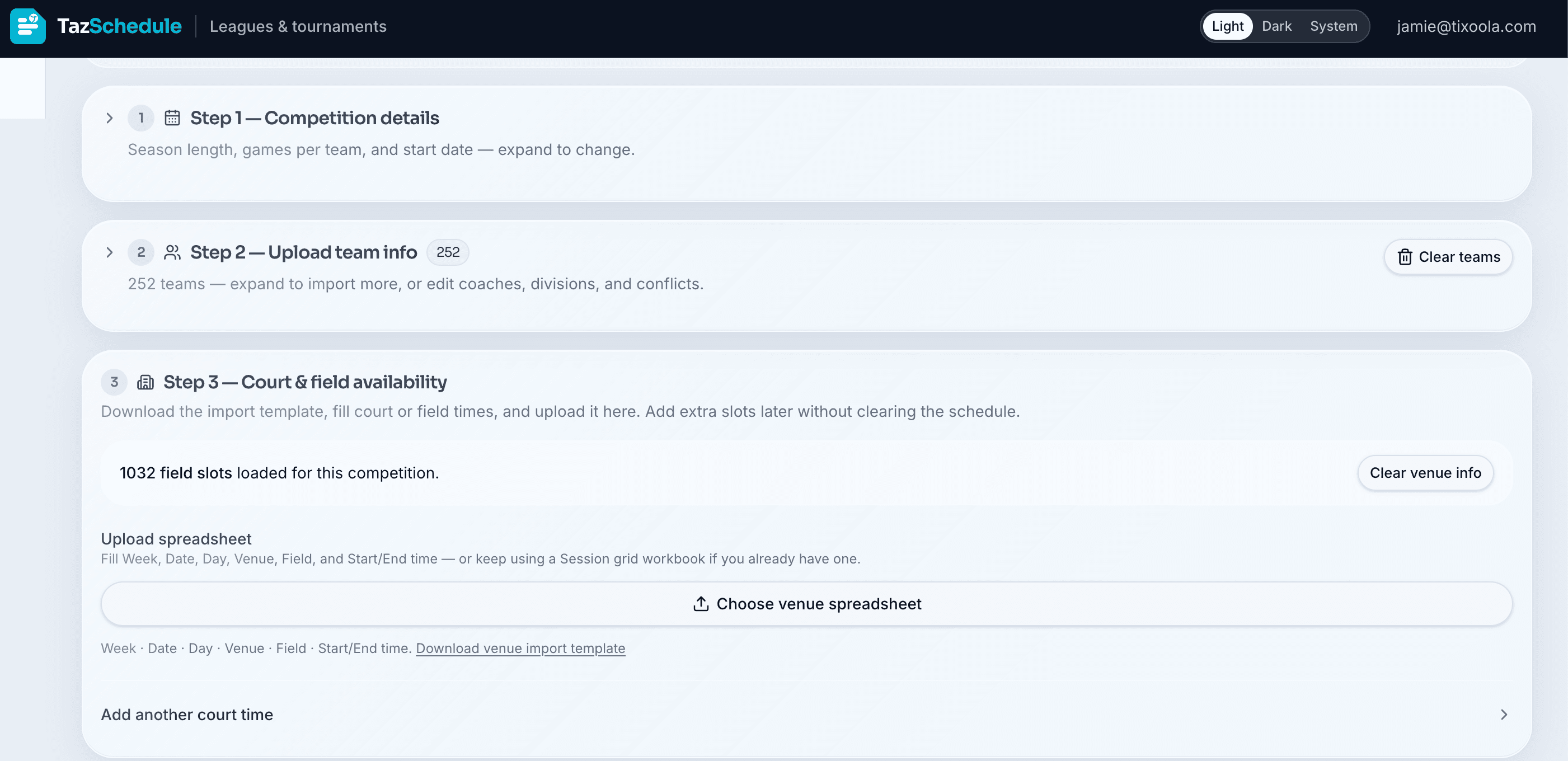
- Step 2 — Upload teams: import from TazForm or another registration platform, use the downloadable template, or enter teams manually.
- Step 3 — Court & field import: download the venue template, fill Week / Date / Day / Venue / Field / times, then upload.
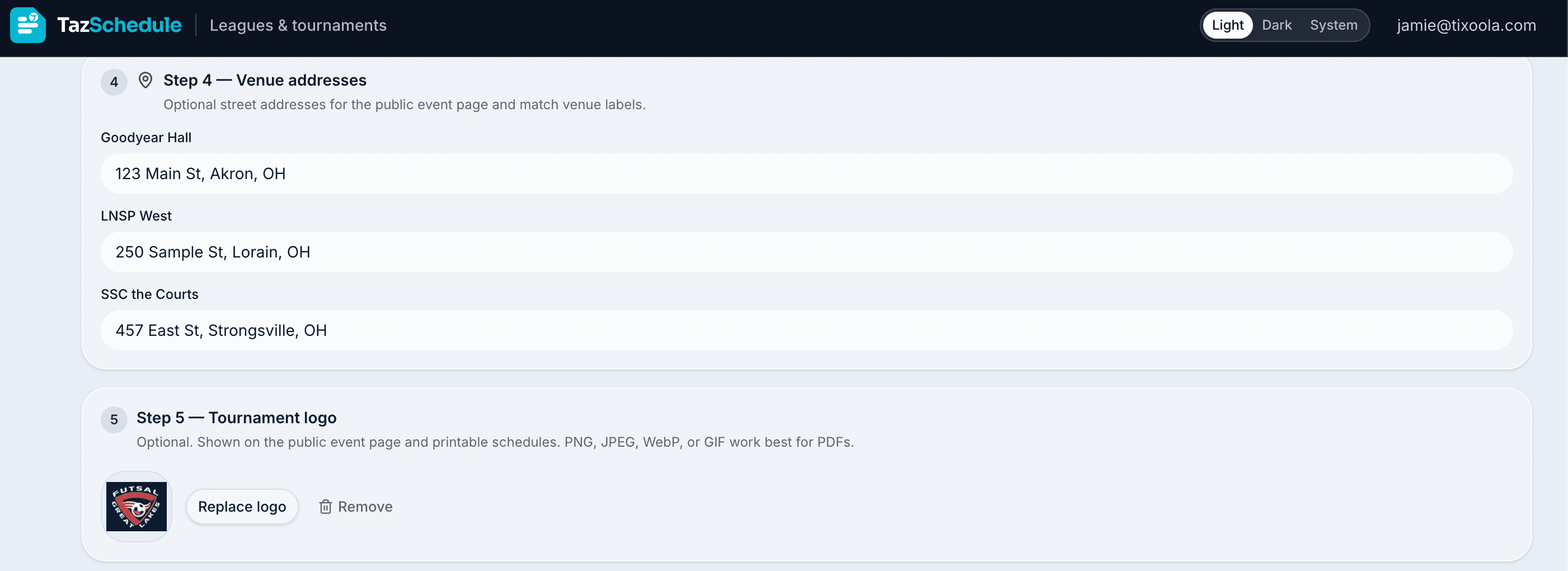
- Step 4 — Venue addresses: street addresses on the public Event page and match labels.
- Step 5 — Tournament logo: PNG, JPEG, WebP, or GIF for the public page and printable schedules.
- Step 6 — Spectator links: optional TazTix and TazCart URLs — leave blank to hide Buy Tickets or Shop.
- Step 7 — Generate: place games against rest, blackouts, coaches, same-time exclusions, and venue priorities, then open Schedule.